One virtual IP.
Any number of nodes.
A small self-hosted web UI that manages your HAProxy configuration, obtains Let's Encrypt certificates, and runs a Keepalived cluster on a shared virtual IP — one node active, the rest ready to take over, with settings and certificates syncing across all of them.
$ curl -fsSL https://raw.githubusercontent.com/avandeputte/haproxy-manager/main/install.sh | sudo bash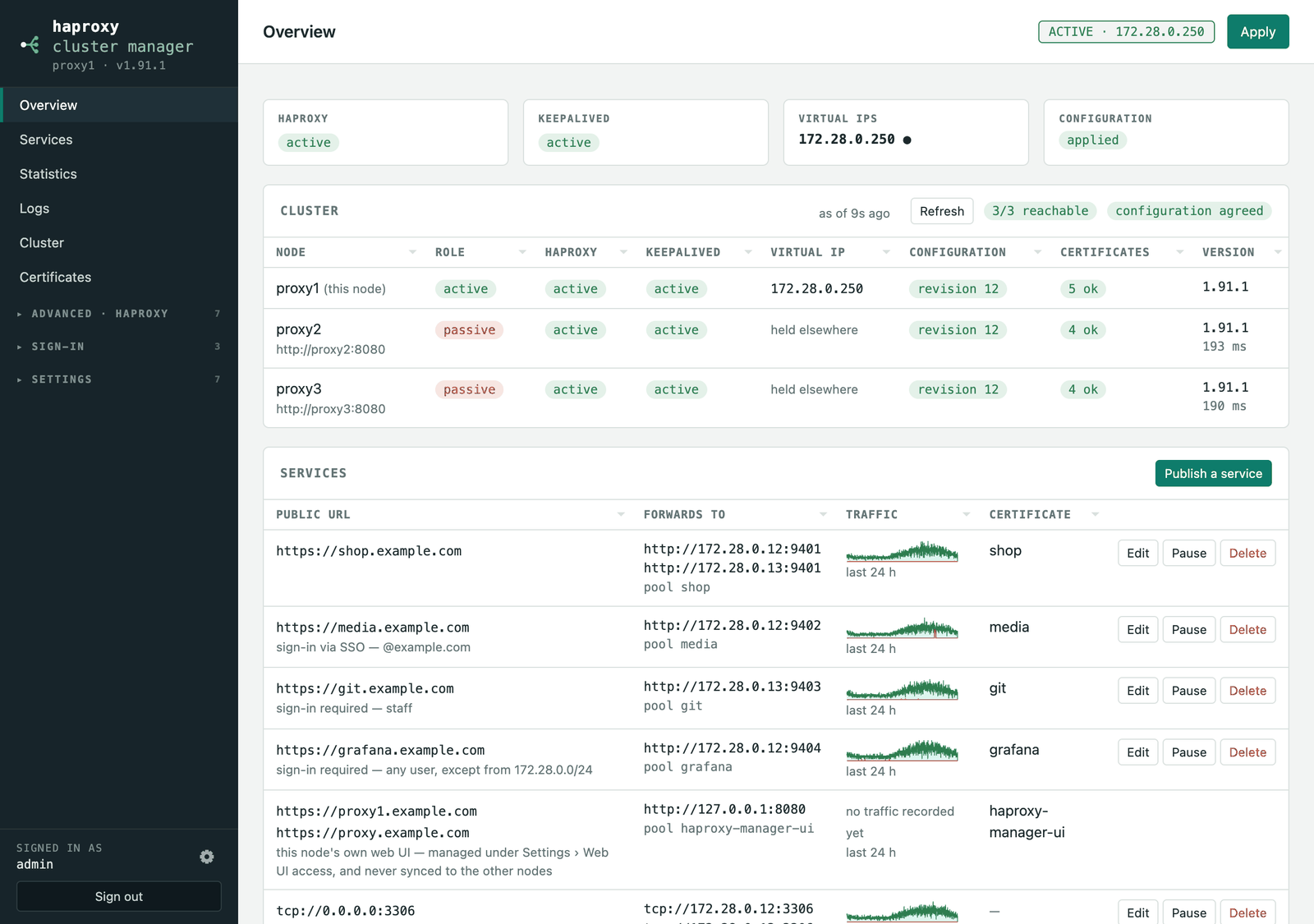
Everything between the internet and your servers, on one page.
A configuration front-end that generates plain haproxy.cfg and keepalived.conf, validates before writing anything, and keeps every node in step.
Two lines to production
Give the wizard a public URL and the server behind it. It creates the pool, rules, HTTPS listener, certificate and HTTP→HTTPS redirect — and shows the exact haproxy.cfg before anything is written.
Certificates that mind themselves
HTTP-01 and DNS-01 via acme.sh, with 191 DNS provider hooks. Wildcards are reused instead of duplicated, renewals run on their own, and every node gets the PEM.
Failover you don't babysit
Keepalived holds one shared virtual IP across any number of nodes. The configuration carries a revision — nodes that fall behind are named, and healed automatically.
Auth enforced by HAProxy itself
Basic auth from a generated userlist, or OIDC single sign-on (Authentik, Keycloak, Authelia, Pocket ID, Google, Entra) — verified on every request, in pure configuration, no Lua.
Catches hung, not just stopped
Liveness probes over the stats socket, published URLs requested exactly as a browser would, duplicate-address detection on the wire — and deliberate, rate-limited restarts.
Alerts on changes, not conditions
Email, Pushover or webhook. Per-service “Alert when”, so a Patroni pool at 1-of-3 isn't an emergency — and recoveries are always delivered.
See everything, in one place
Live statistics from the admin socket, a day of traffic per service, four logs merged into one timeline, and Prometheus metrics at /metrics.
Home Assistant, out of the box
MQTT discovery publishes per-service sensors, certificate expiries and an optional maintenance switch — no YAML, no polling, entities that survive a failover.
The real application, not a mock-up.
Every screenshot is the actual UI, driven by a browser against a three-node cluster holding made-up data.
Pick a method. Run it on every node.
Packages ship with every release; the script and the Docker image always fetch the current version.
# grab the .deb from github.com/avandeputte/haproxy-manager/releases/latest
$ sudo apt-get install -y ./haproxy-manager_*_all.deb# grab the .rpm from github.com/avandeputte/haproxy-manager/releases/latest
$ sudo dnf install -y ./haproxy-manager-*.noarch.rpm$ curl -fsSL https://raw.githubusercontent.com/avandeputte/haproxy-manager/main/install.sh | sudo bash
# re-running it later offers update / remove / purge$ docker run -d --network host \
--cap-add NET_ADMIN --cap-add NET_BROADCAST --cap-add NET_RAW \
-v ham-data:/var/lib/haproxy-manager -v ham-acme:/var/lib/acme.sh \
-v ham-haproxy:/etc/haproxy -v ham-keepalived:/etc/keepalived \
ghcr.io/avandeputte/haproxy-manager:latestthen Open http://<node>:8080
The installer creates the administrator and prints the generated password (also written to /var/lib/haproxy-manager/admin-credentials.txt). The first visit offers a setup wizard: create a new cluster — set the virtual IP the nodes will share, or skip it and run standalone — or join an existing one by pointing at any running node with its API key; that node pushes the whole configuration back.
Nothing in HAProxy's configuration is touched until you press Apply — and Apply validates with haproxy -c before writing anything, keeps a .bak, and rolls back if HAProxy doesn't come back up.
Installing on a server →
Requirements, what the installer does, options, updating, uninstalling, troubleshooting.
Running in Docker →
Images and tags, compose, networking, volumes, capabilities, limitations.
Configuration →
Every setting, what is shared between nodes, environment variables, ports.
Authentication →
The UI login and 2FA, basic auth for services, single sign-on (OIDC), the trust model.
Proxmox VE LXC →
The one-line container install, updating, and clustering in an unprivileged container.